All features

Freight procurement software
for both sides of a tender.

Follow a tender from the buyer’s invitation to the forwarder’s quote and the final comparison.

Buyer workspace

Run a freight tender and compare offers.

Compare the same lane across three offers.

Orvessa Cargo leads at AED 250. Tavrilo Freight quotes AED 70 in known charges. With estimated ocean freight, its comparable net is AED 370. Kelvori Forwarding ranks third at AED 436.73. Buyers can also weight price and transit time.

See bid comparison
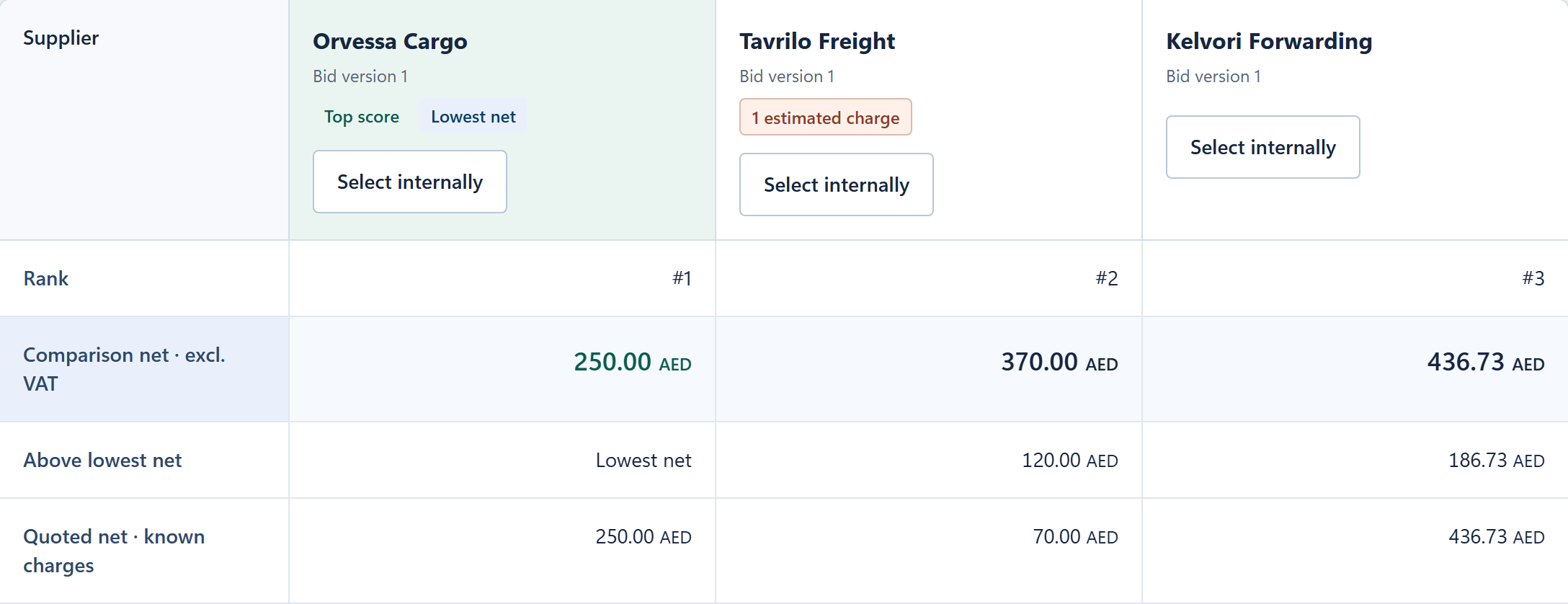
Waybid ranks Orvessa Cargo first at AED 250 on the Jebel Ali to Rotterdam lane.
Lane 1 · Net amounts in AED, excluding VAT

Record the reason for your choice.

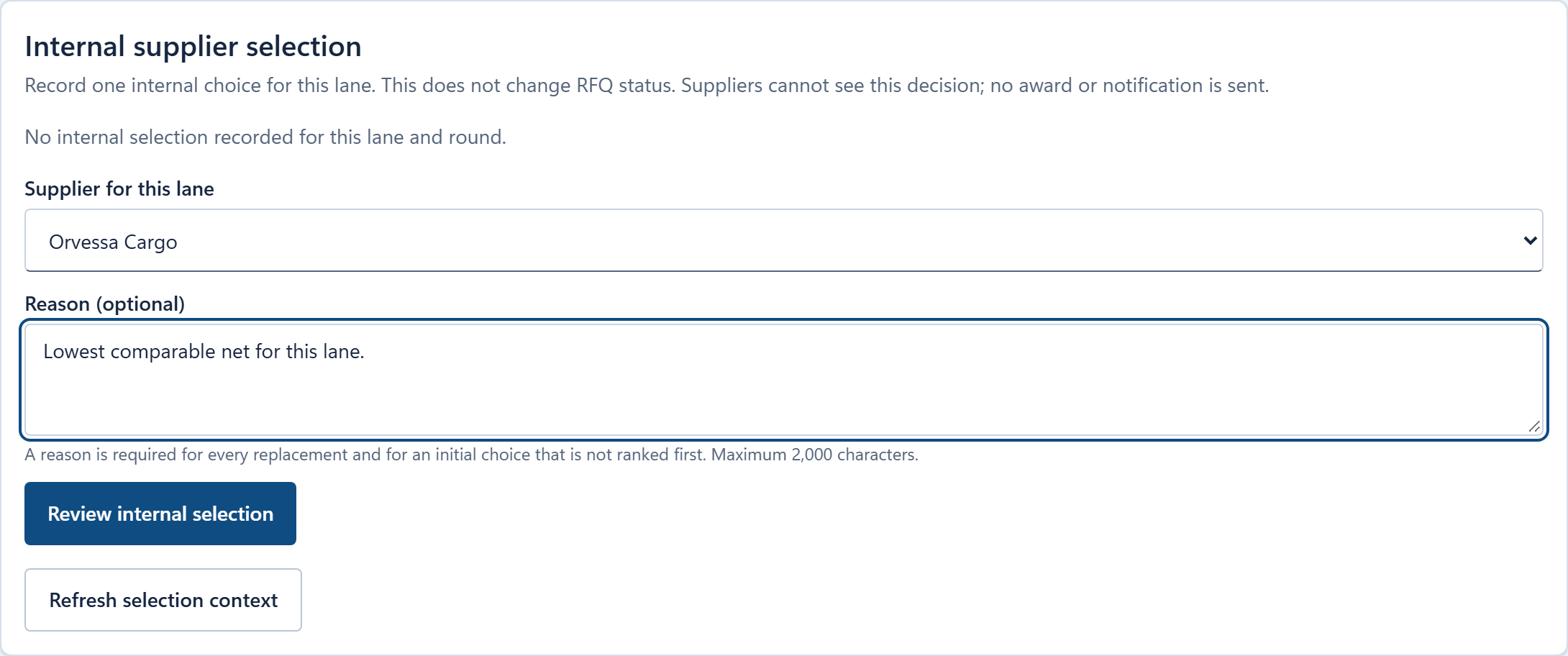
Select a supplier for the lane and give your team the reason. The buyer reviews this choice before recording it internally and can revisit its history.

Internal selection form with Orvessa Cargo chosen and the buyer’s reason entered before review.
Internal supplier selection · Before review

RFQ drafts & freight modes

Define the lane, equipment, charges and deadline. Save a draft and review it before sending.

Supplier directory & groups

Organize contacts by mode and market. Invite selected suppliers or reuse a group.

Sealed bidding & reminders

Track participation and remind invited suppliers during the round. Prices open after close.

See sealed RFQs

Supplier questions

Answer a question privately or share the clarification with all invited suppliers.

In preview

Buyer Analytics

Look back at closed and awarded freight tenders to see money saved against the average offer, supplier participation and an estimate of time saved.

Money saved

For a lane with at least two comparable offers, compare the chosen offer with their average. The choice comes from an award, then an internal selection, or the best-ranked offer when neither is recorded. A choice above average shows a negative saving.

Currency by tender

Each tender uses its RFQ currency. Savings totals are shown separately for each RFQ currency.

Supplier participation

See offers per closed RFQ and the share of invited suppliers who quoted.

Time saved (estimate)

See a breakdown based on five activity counts: preparing RFQs, inviting suppliers, sending reminders, reading quotes and building comparisons. Each count uses standard minutes for doing the work by email and spreadsheet.

Supplier workspace

Manage invitations and prepare a quote.

Check the charges before you submit.

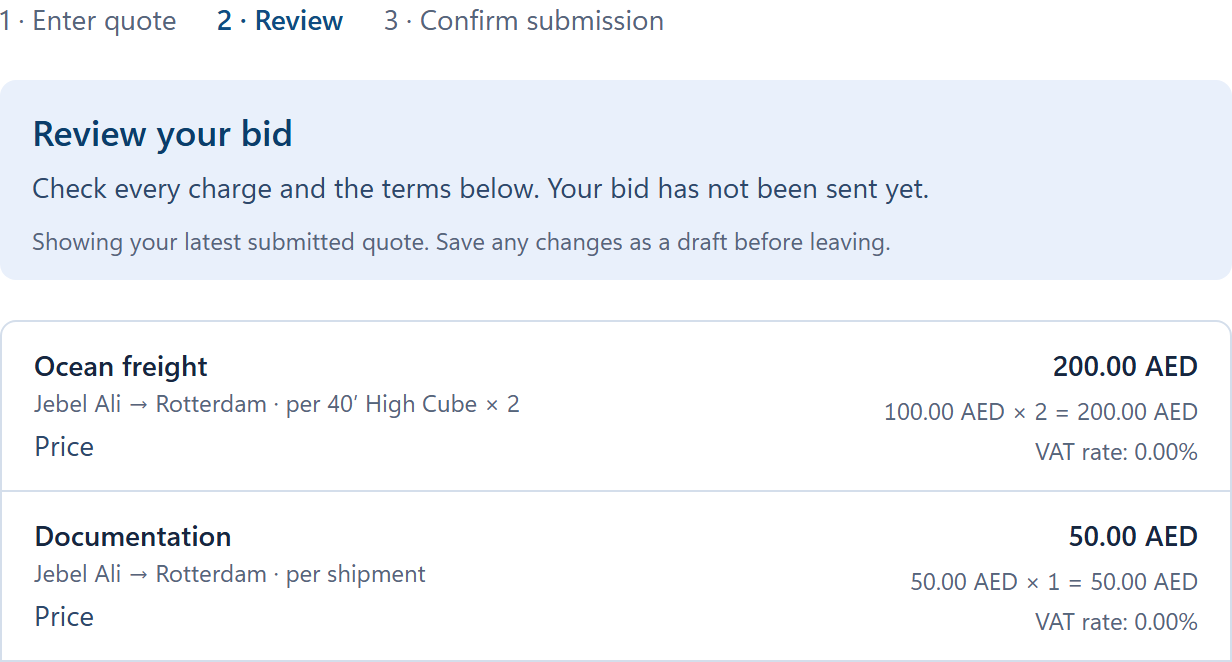
In Orvessa Cargo’s quote review, two 40-foot high cubes come to AED 200 for ocean freight. The documentation fee adds AED 50 for this lane. The supplier can revise its quote until the round closes.

See supplier quoting
Supplier review showing AED 200 for two high-cube containers and AED 50 for documentation.
Quote review · Jebel Ali → Rotterdam

Reopen the quote you submitted.

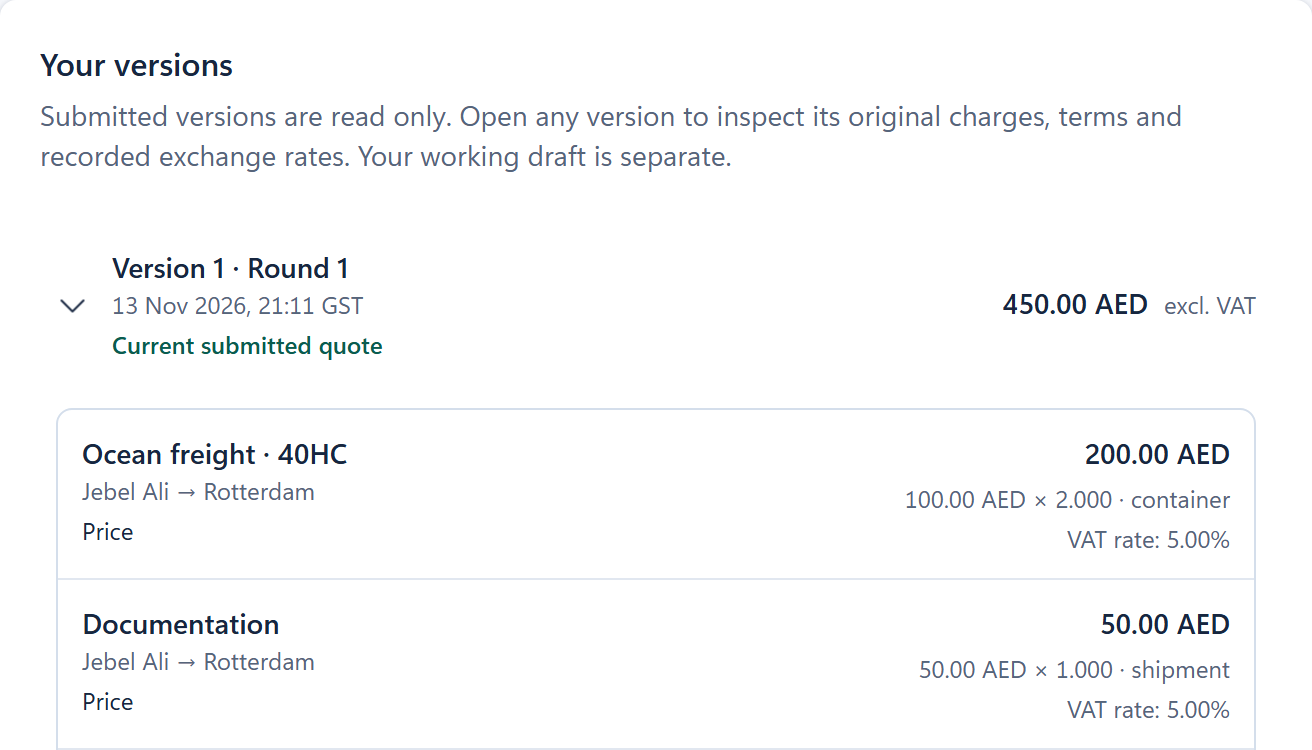
Version 1 preserves the original rates and quantities. Its AED 450 net covers both lanes in the RFQ. The first lane’s freight and documentation are shown below the total.

Orvessa Cargo’s submitted version 1 shows AED 450 net across the RFQ and its original ocean freight and documentation lines.
Quote history · Round 1, version 1

Invitation inbox

Find RFQs that need a quote, return to saved drafts, or look up submitted and closed rounds.

Private team drafts

A bidder or supplier admin can enter charges, specify terms and save a draft for the same supplier team.

See supplier quoting

RFQ questions

Ask the buyer for clarification and read replies in the context of the invitation.

Participation decisions

Decline an invitation when you cannot quote. Return to quote while the round is still open.

Team & access

Manage how people work together.

Company workspaces

Switch between the organizations and workspaces available to your account.

Team invitations & roles

Company administrators invite colleagues and manage access. Roles determine who can buy, quote or view.

Account access

Sign in with a password or email code and recover access using your work email.

Available on request

ERP Integrations

Tell us which ERP you use and which orders you want to turn into freight RFQs. We’ll work with you to scope the connection.

Request an ERP integration

Sales Order

When a customer places an order, use its delivery address and shipment details to request freight quotes for the outbound delivery.

Purchase Order

When you buy goods, use the supplier’s collection address and your receiving location to request quotes for inbound freight.